Audit trail in the console
Sooner or later somebody asks who turned that setting off, or who deleted that client, or why a sign-in was refused. The audit trail is where the answer is. Odudu records every change made in a tenant, and every change it refused, with who made it and from where. This page shows how to find an event and how to take a set of them away. It needs the view-audit capability; the menu entry is Audit trail under OBSERVE.
1. Read the newest events
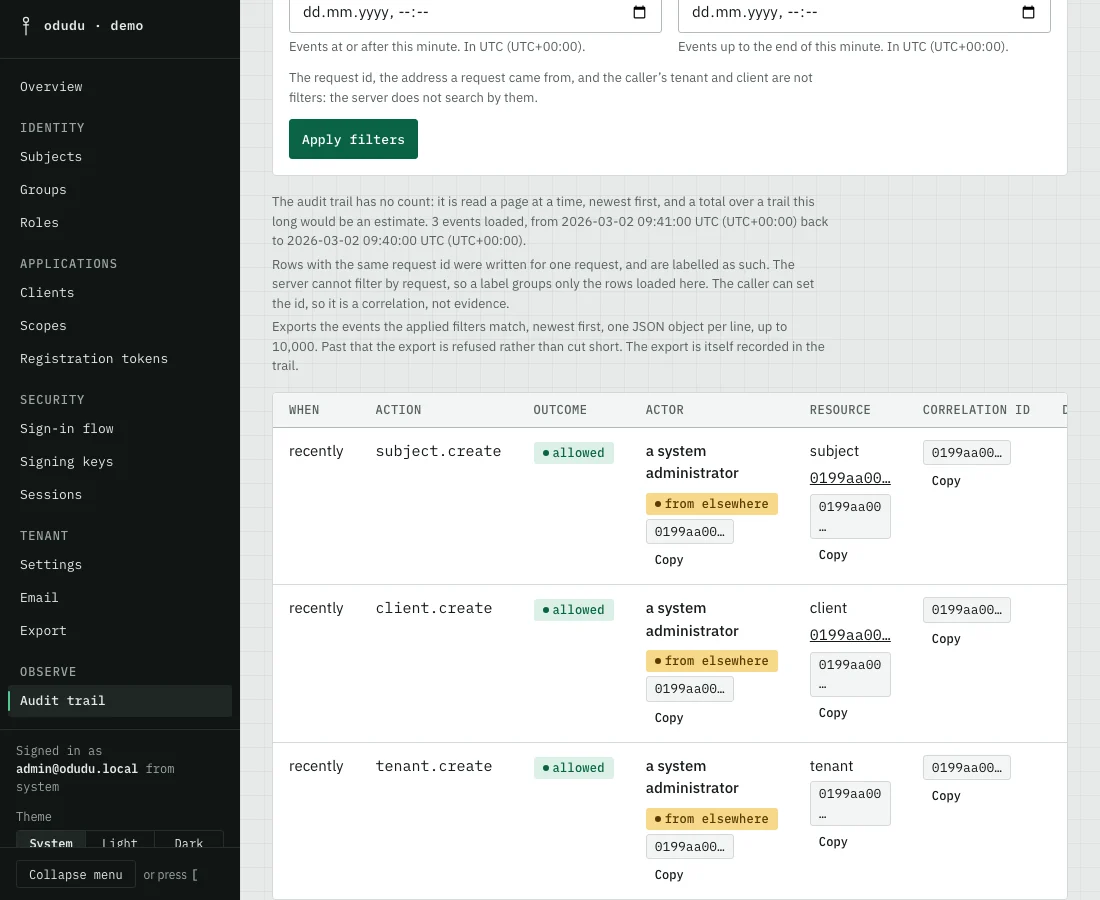
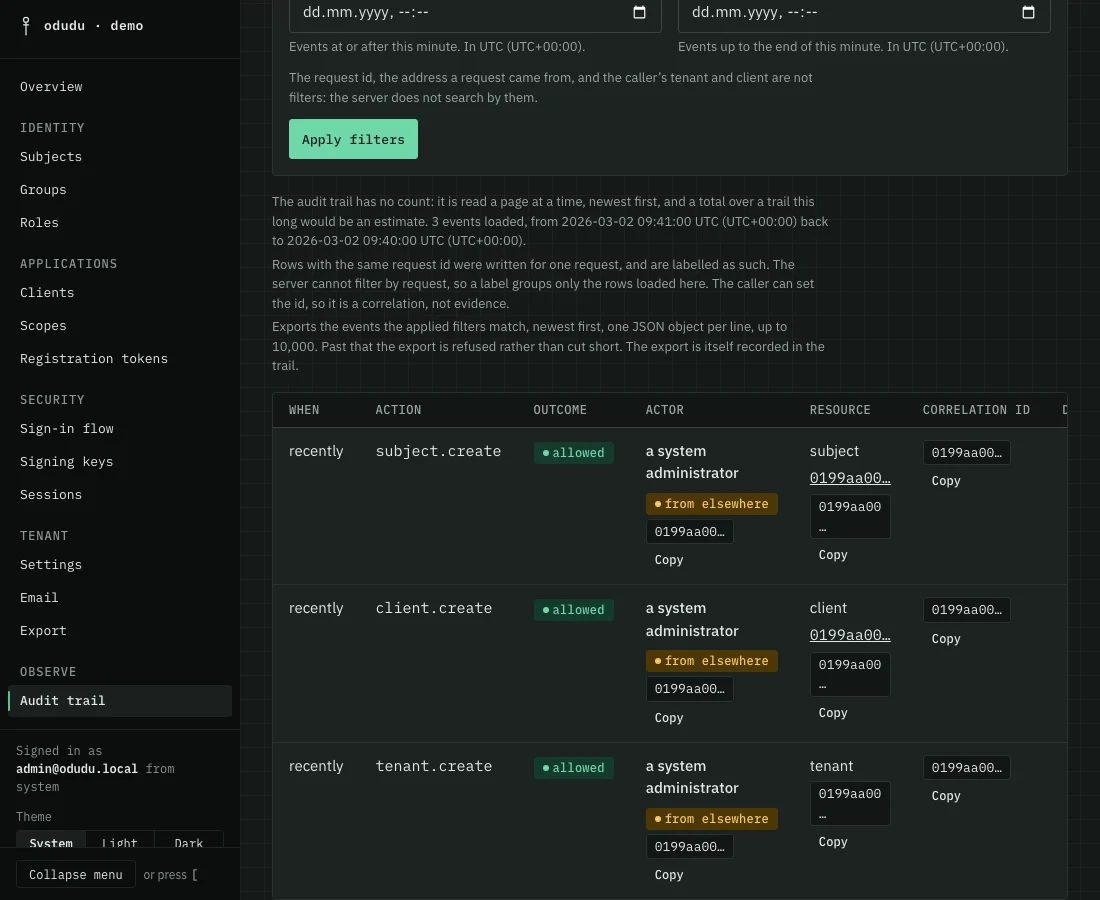
Open Audit trail. The events are listed newest first, a page at a time, with Previous and Next below. Each row shows when it happened, the action, such as client.create, whether it was allowed, refused or failed, who acted, which resource it touched and a correlation id.
The trail has no total. A count over a trail this long would only be an estimate, so the page says how many events it has loaded and over what period instead.
2. Narrow it down
Use the filters at the top, then choose Apply filters.
- Event type picks a family: Admin change, Admin access, Authentication, Session, Token or Credential.
- Outcome picks Allowed, Refused or Failed. Refused is where you look for an attempt that did not work.
- Action is the exact action as logged, such as
client.update. - Resource type and Resource id pick one thing, such as one client. Choose the type first.
- Actor (subject id) picks what one subject did.
- From and To bound the time, shown in your own time zone.
The request id, the address a request came from and the caller's tenant and client are not filters, because the server does not search by them.
3. Read one event
Choose Details on a row to read the whole event. Rows written for one request share a correlation id and are labelled as one. The caller can set that id, so it links rows together and proves nothing about who sent the request. An actor marked "from elsewhere" belongs to another tenant: a system administrator acting across tenants, whose name this tenant cannot show.
4. Take the events away
Choose Export these events. You get the events the filters match, newest first, one JSON object per line, up to ten thousand. Past that the export is refused instead of being cut short, so narrow the time range and export again. The export is itself recorded in the trail.
Things you should know
The trail only records. Nothing here changes anything, and there is nothing to delete: how long events are kept, and which kinds are recorded, is set under Audit retention on the Settings page. Changes and reads by administrators are always recorded, so an administrator cannot turn their own trail off.
Do the same through the API
The calls are in the audit area of the admin API, and the event reference lists every action and what it means. Consent and audit explains why the trail exists.