System administrators in the console
Most administrators run one tenant. A few have to run them all: create tenants, look into any of them, recover one that has lost its own administrators. Those are the system administrators, the people of the system tenant who hold the capability to reach every other. This page shows who they are and changes the list. It needs the manage-tenants capability; the menu entry is System administrators under SYSTEM, and only an administrator of the system tenant sees it.
1. See who holds what
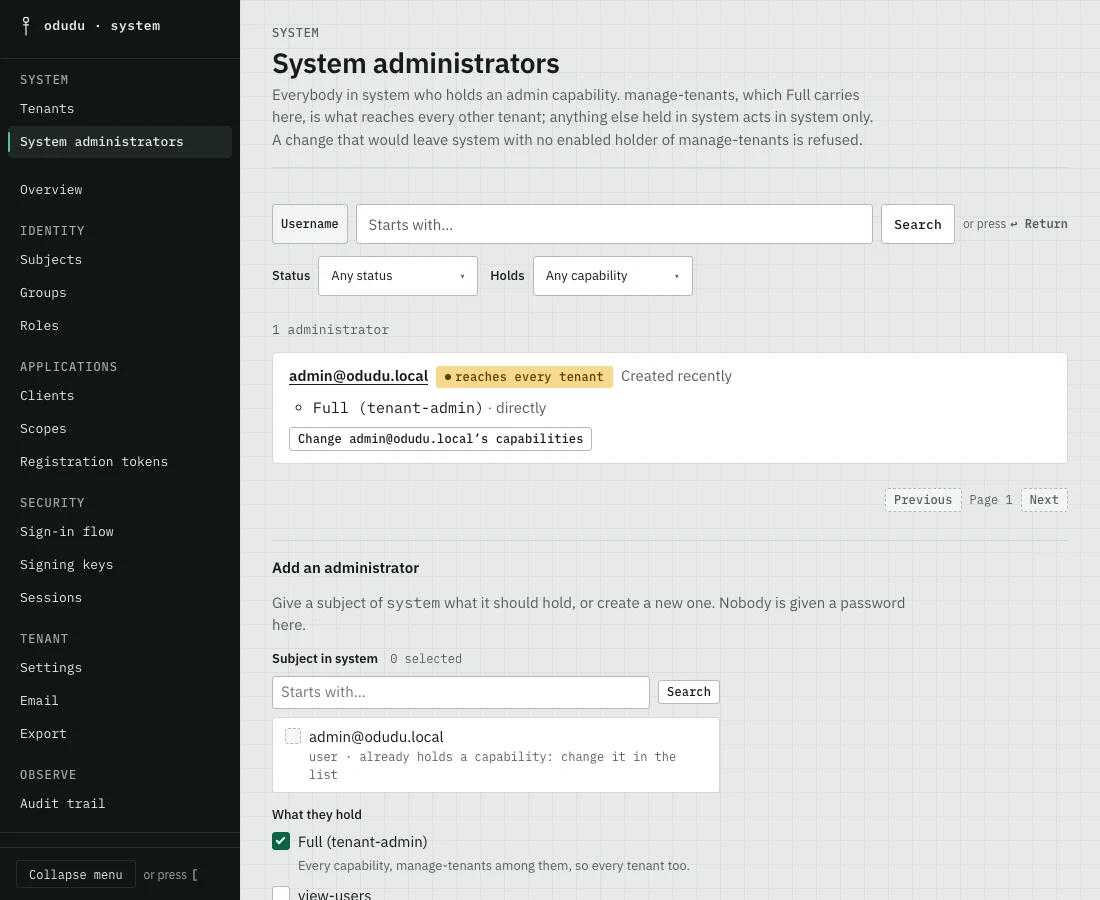
Open System administrators. It lists everybody in system who holds an admin capability, with how each holds it: directly, through a group or nested in another role. Use Filter administrators to search by Username, or filter by Status and by what they hold under Holds. An administrator marked "reaches every tenant" holds manage-tenants, which Full (tenant-admin) carries here. Anything less acts in the system tenant only.
2. Change what one holds
Choose the button on a row that is named for the person, such as Change admin@odudu.local’s capabilities. Pick what they should hold and save. A change that would leave the system tenant with no enabled holder of manage-tenants is refused, so you can never lock everybody out by accident.
3. Add an administrator
Under Add an administrator, find a subject of the system tenant in Subject in system, choose what they should hold under What they hold (you can give only what you hold yourself), and choose Give it to the chosen subject. If they do not exist yet, choose Create a new subject as an administrator. The console guides you through creating them and shows a one-time password once, which they change at their first sign-in. Nobody is given a password here.
Things that cannot be undone, or that are easy to get wrong
- Full (tenant-admin) in the system tenant is the keys to every tenant: every person, client, key and audit trail. Give it sparingly, and give a narrower capability, such as
view-audit, to somebody who only needs to look. - Taking
manage-tenantsaway from the last enabled holder is refused. Make a second administrator first. - Disabling or deleting an administrator under Subjects takes their reach with it, and is subject to the same refusal.
Do the same through the API
Everything here is done with the subjects area of the admin API in the system tenant: create the subject, then assign it an admin capability. The first administrator of an installation is made when you start Odudu.